Connect Telegram
Connect Telegram to Slovio by creating a bot with BotFather and pasting its token, so private chats with your bot arrive in your team Inbox.
1 min readUpdated
To connect Telegram, create a bot with @BotFather, copy its bot token, then go to More → Workspace → Channels → Connect on Telegram and paste it. Private chats with your bot then arrive in the Inbox.
Create a bot
- In Telegram, open @BotFather and send
/newbot. - Choose a name and a username ending in "bot".
- BotFather replies with a bot token like
123456:ABC-DEF…. Copy it.
Connect
In Slovio, go to More → Workspace → Channels and select Connect on Telegram.
Enter a Channel name (for example "Support Telegram") and paste the Bot token.
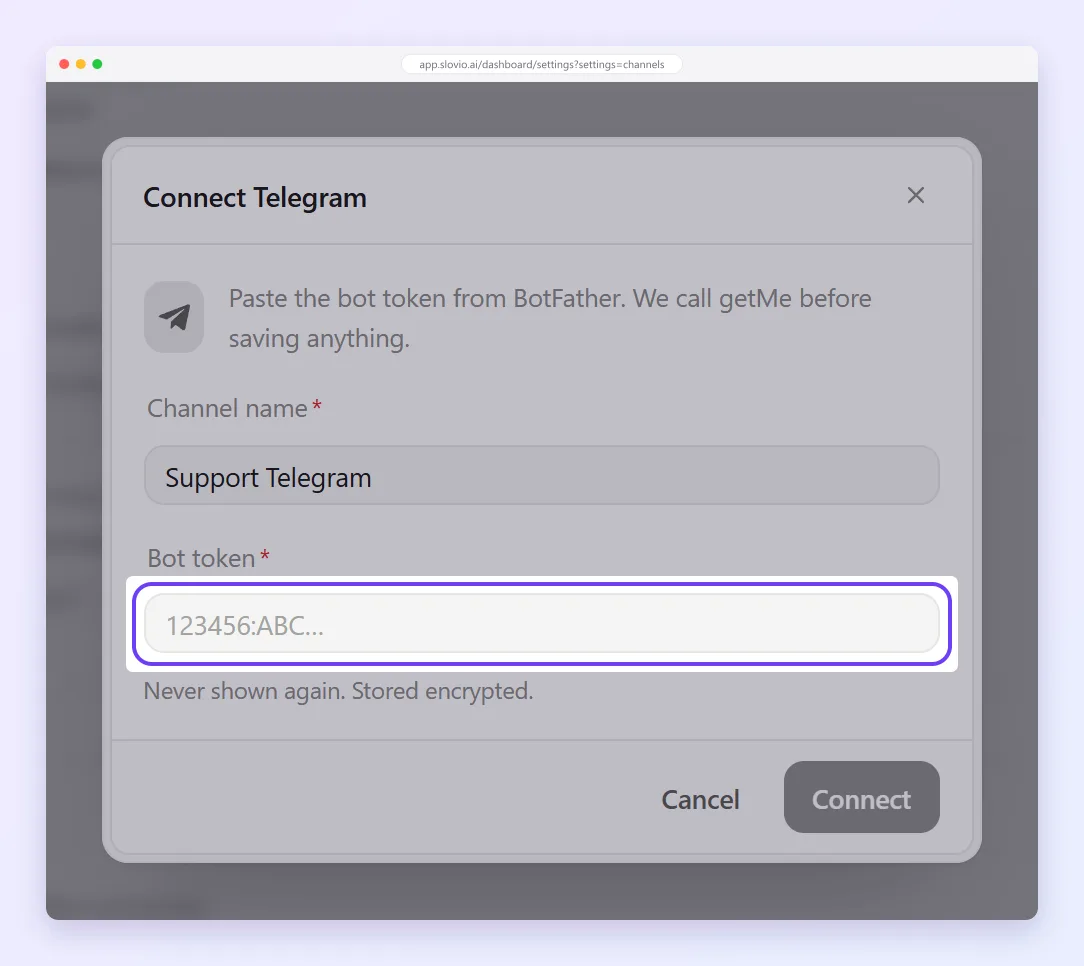
Select Connect. Slovio checks the token with Telegram before creating the channel.
The token is stored encrypted and never shown again.
What works
- Private chats with your bot arrive in the Inbox, and your team replies from there.
- Group messages are ignored.
- Telegram has no templates or broadcasts in Slovio.
Errors
| Message | Fix |
|---|---|
| Telegram rejected this bot token | Copy the token again from BotFather (/token), with no spaces. |
| This bot is already connected to a channel | Each bot can connect to one channel. Create another bot. |
| Could not register the Telegram webhook | Try again in a minute. If it repeats, contact support. |
Common questions
Can I send broadcasts on Telegram?
No. Telegram has no templates or broadcasts in Slovio; it is for one-to-one chats in the Inbox.
Do group chats with my bot appear in the Inbox?
No. Only private chats with the bot arrive; group messages are ignored.
I lost my bot token. What do I do?
Send /token to @BotFather in Telegram to get it again. Slovio stores the token encrypted and never shows it again.
Can one bot connect to two channels?
No. Each bot can connect to one channel. Create another bot with BotFather for a second channel.
Stuck, or is something here out of date? Tell the team — we reply within a working day.