Plans and subscription
How to choose, upgrade, downgrade, renew or cancel your Slovio plan, what each plan limits, and what happens during the 7-day grace period after expiry.
3 min readUpdated
Your plan decides which features you get and how many channels, agents, bots and workflows you can use. Compare plans in the account menu → Plans & pricing, and buy or change one from your wallet in Subscription & wallet → Plans. Messages and call minutes are paid separately from your wallet.
Compare plans
Open the account menu (your avatar, bottom left) → Plans & pricing. The page is titled Plans that scale with you.
- Switch between billing periods (Monthly, Quarterly, Yearly) at the top.
- Select Compare all features for the full table.
- Your plan shows Current plan. Other cards show Upgrade plan, Downgrade or Get started.
- If you have not used a trial, Or start a 7-day free trial is offered.
Buying from this page goes through online checkout.
Buy or change a plan from your wallet
Open the account menu → Subscription & wallet → Plans tab.
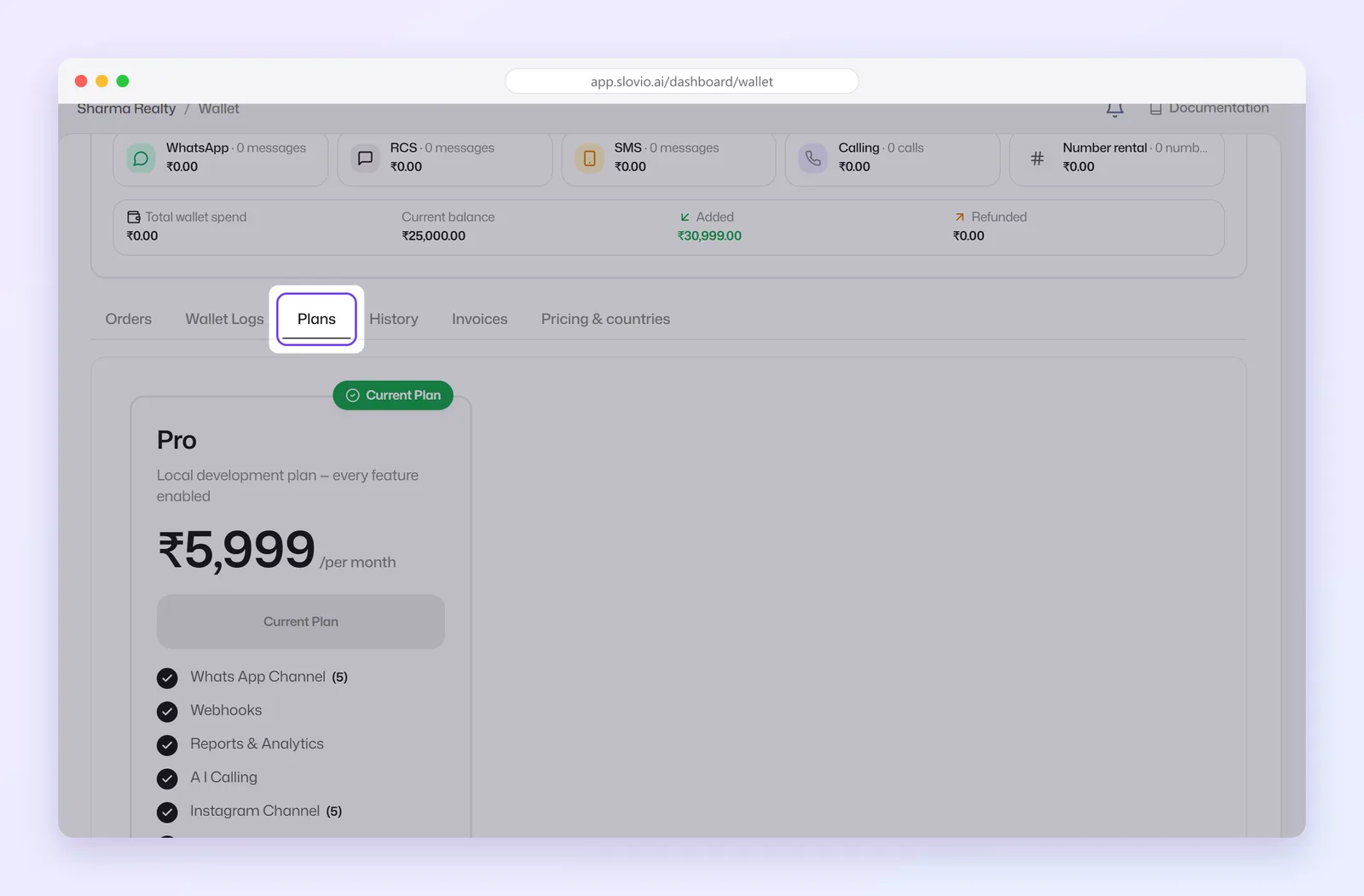
On the plan you want, select Upgrade Plan, Downgrade or Get Started.
Check the preview. When you upgrade mid-period, Credit from current plan shows the unused value of your current plan, taken off the Amount Due.
Select Confirm Upgrade (or Confirm Purchase / Confirm Downgrade). The amount is paid from your wallet balance.
Renew your plan
- Auto-renew (a switch on Subscription & wallet) renews the plan from your wallet when it expires. Keep enough balance for the plan fee.
- To renew early, select Renew, then confirm in Confirm Renewal.
- From 7 days before expiry, Slovio reminds you: "Your plan expires in N days".
What happens when a plan expires
- With Auto-renew on, Slovio tries to renew from the wallet.
- If it is off or the balance is too low, a 7-day grace period starts ("Grace period: N days left to renew").
- If the plan is still not renewed, the account is suspended. Renew, or select Contact Support.
Cancel your plan
- On Subscription & wallet, select Cancel.
- In Cancel Subscription, select Yes, Cancel (or Keep Plan to stay).
Your plan stays active until the end of the period you paid for. After that it does not renew and the account is suspended. No refund is issued for the remaining period. Changed your mind before the end date? Select Restore Plan.
What plans limit
| Limited by count | Switched on or off by plan |
|---|---|
| Team members (agents), workflows, chatbots, knowledge bases, WhatsApp channels, RCS channels, SMS senders, Facebook pages, Instagram accounts | Features such as AI Agents, AI Calling, integrations and the API |
When you reach a limit, Slovio says "You've reached your limit of N…". Upgrade or contact your admin. Contacts are not limited.
Worked example: upgrading mid-month
Joshi Dental Clinic, Nagpur, is 15 days into a 30-day plan and needs more agents.
- Subscription & wallet → Plans → Upgrade Plan on the bigger plan.
- The preview shows the new plan price, a Credit from current plan for the unused 15 days, and the lower Amount Due.
- Confirm Upgrade. The Amount Due is taken from the wallet, and the clinic moves to the bigger plan with its higher agent limit.
Common questions
Is there a free trial?
Yes, 7 days, if you have not used a trial before. Look for Or start a 7-day free trial on Plans & pricing.
What if my wallet is empty on renewal day?
The 7-day grace period starts. Recharge and select Renew before it ends, or the account is suspended.
Do I get a refund if I cancel?
No. The plan stays active until the end of the period you paid for.
Are contacts limited by plan?
No. Plans limit team members, channels, bots, workflows and knowledge bases, not contacts.
Stuck, or is something here out of date? Tell the team — we reply within a working day.