Set up AI Calling
Set up AI Calling in Slovio: get a phone number from the Number shop, create a voice agent, route inbound calls to it and test it on your own phone.
4 min readUpdated
To set up AI Calling, get a phone number in Calling → Numbers, create a voice agent in Voice Agents, set the number's Answered by to that agent, and ring it from your own phone. The agent then answers inbound calls and makes outbound calls, and every call is logged with a recording and, if you turn it on, a summary.
Open Calling in the sidebar. The calling section has its own menu:
| Group | Pages |
|---|---|
| Build | Voice Agents, Campaigns, Tools, AI Models |
| Telephony | Numbers, Departments, IVR, Team, Business hours |
| Activity | Live Calls, Call Logs, Voicemail, Recordings, Reports |
| Developers | API, Webhooks |
Get a phone number
Open Calling → Numbers → Number shop → Buy a number.
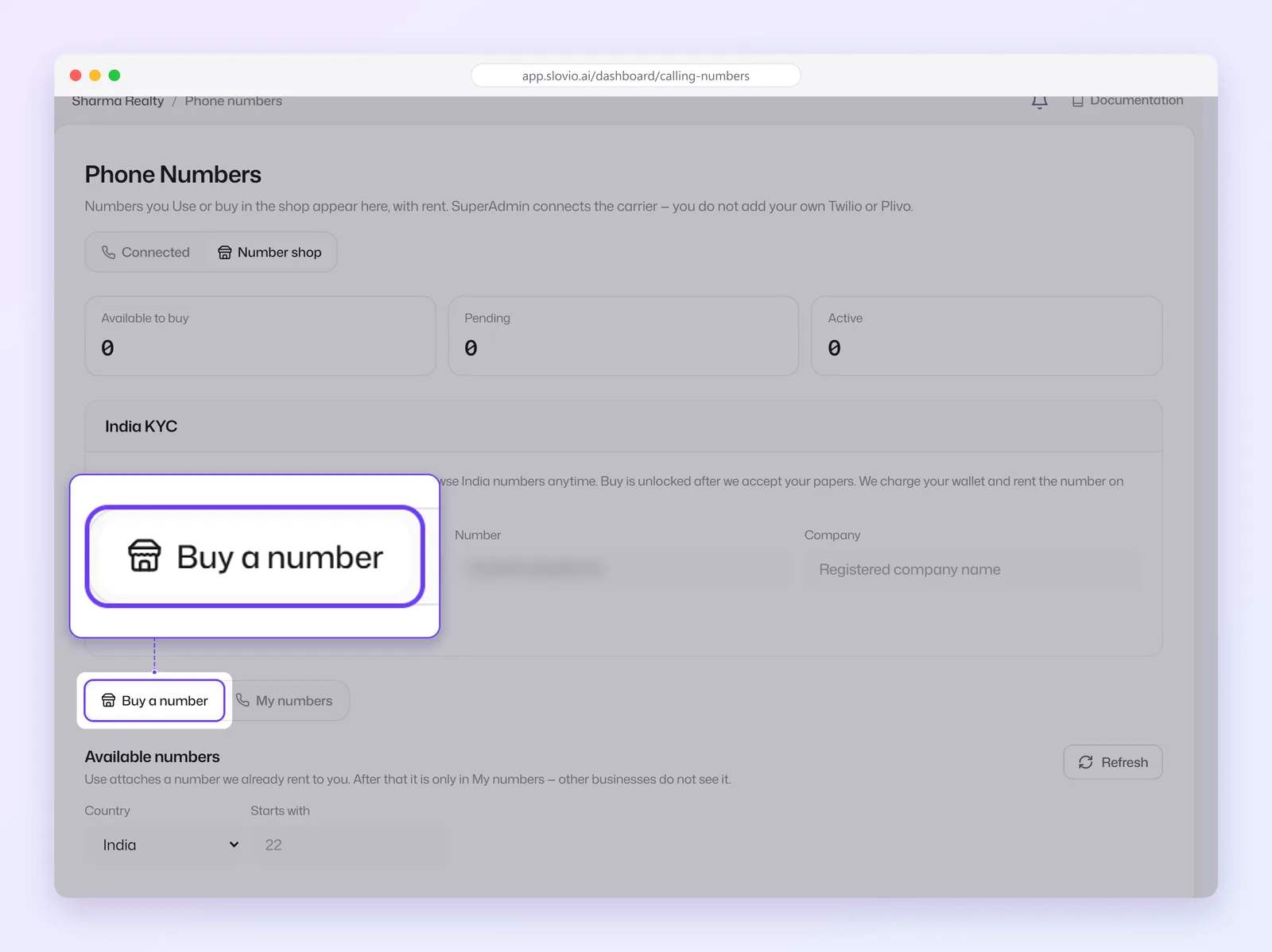
Pick a Country: India, United States or United Kingdom. To narrow the list, type the first digits in Starts with.
Each number shows its Region, monthly Rental and one button:
- Use: a number Slovio already holds. It is added to your numbers at once and the first month's rent is charged from your wallet.
- Buy: a number bought for you straight away.
- Request: a number that needs to be assigned by hand. It appears in My numbers as pending until Slovio approves it.
The number now shows under Connected, with its rent and due date.
Rent is charged monthly from your wallet. A number with Not priced as its rental can't be taken yet.
India numbers need KYC
Before you can take an India number, submit your business details in the India KYC card:
- Choose the Document: GST certificate, Certificate of incorporation or Udyam registration. PAN is not accepted.
- Enter the document Number, for example your GSTIN.
- Enter the Company name as registered.
- Select Submit KYC.
You can browse India numbers at any time. Use and Buy unlock once your KYC is accepted. If it is rejected, the reason is shown on the card; fix it and select Update KYC.
Choose what answers the number
Each number on Connected has an Answered by setting. Select the edit button on the number to change it:
| Answered by | What happens |
|---|---|
| Outbound only | The number is used only as caller ID. |
| Voice agent | The chosen voice agent answers. |
| Queue | Calls go to a department queue. |
| IVR | Callers hear an IVR menu. |
The same dialog has an Active switch and Skip recording notice on this number. A number's Address can be a phone number in international format, a SIP URI such as sip:200@pbx.example.com, or an extension on your own PBX such as 200. The address can't be edited later; delete the number and add it again to change it.
Set a default caller ID
Select the star on a number (Set as default caller ID). Outbound calls use it unless you pick another number.
Create a voice agent
Voice Agents → Create Voice Agent, then choose one:
- Describe your agent: pick the Call direction, say What is it for? and What should it do on the call?, and optionally give the Agent's name and Business. Slovio writes the call flow.
- Start from a template: Inbound enquiry desk, Lead qualification, Order status line or Appointment reminder.
- Blank Canvas: an empty call flow.
See Voice agent builder to refine it, and Build a Hindi voice agent for a full worked example.
Test the agent
On the agent's card, select Call a number, enter your own mobile in international format (for example +919876543210) and select Start Call. The call is charged from your wallet like any other call.
Costs
Calls are charged per connected minute from your wallet; unanswered calls cost nothing. Turn on Generate call summaries on an agent's card for a summary and caller sentiment after each call (uses AI credits).
Common questions
Which countries can I get numbers in?
India, the United States and the United Kingdom, from Numbers → Number shop.
Why can't I buy an India number?
India numbers need your business KYC to be accepted first. Submit a GST certificate, certificate of incorporation or Udyam registration number in the India KYC card.
What does "Request" mean in the Number shop?
The number has to be assigned by Slovio. It shows as pending in My numbers and becomes usable once approved.
Can I bring my own Twilio or Plivo account?
No. Slovio connects the carrier for you. You take numbers from the Number shop.
Can a number ring my team instead of the AI agent?
You can save a Queue or IVR on the number now. Calls start going there when phone-system routing goes live; until then, route the number to a voice agent.
Stuck, or is something here out of date? Tell the team — we reply within a working day.