Create a broadcast
Create a WhatsApp or RCS broadcast in Slovio: pick an approved template, fill its variables, choose contacts, segments or Excel, then test, schedule and send.
4 min readUpdated
A broadcast sends one approved template to many people at once. Open the channel, go to the Broadcast tab, select New Broadcast, pick a template and fill its variables, choose the audience, then send now or schedule it.
For a complete filled-in walkthrough, see the WhatsApp broadcast worked example. SMS broadcasts use a different form; see SMS broadcasts.
Open the broadcast page
Open WhatsApp or RCS in the sidebar.
Go to the Broadcast tab and select New Broadcast.
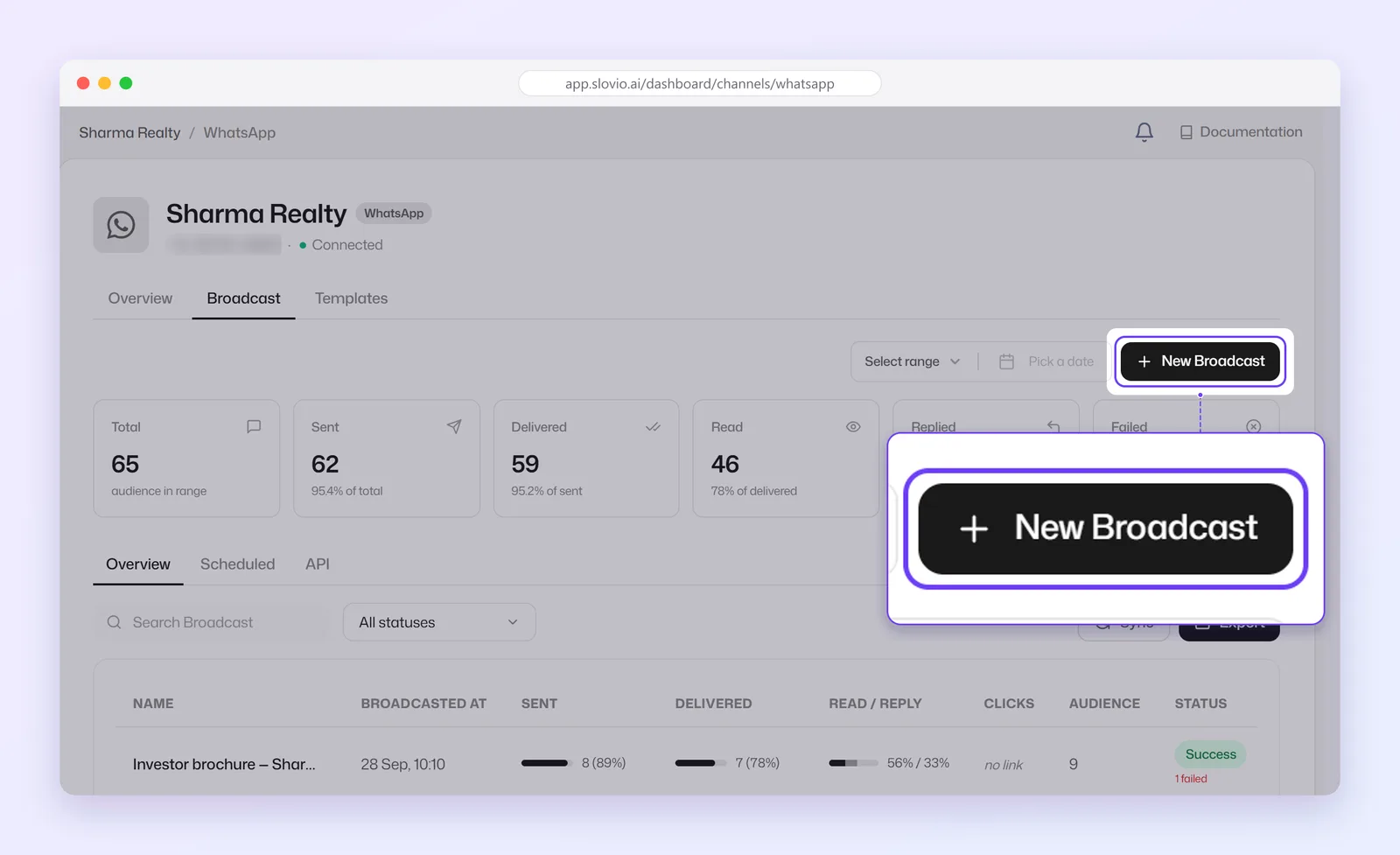
You can also start from Home → New broadcast.
Fill in the broadcast
The page is one form, top to bottom, with a Preview of the message on the right.
Name: for your reports, for example
September offers. Each name must be unique; a used one shows "This name is already used."WhatsApp channel: which of your numbers sends it. With one number, it is shown for you.
Template: only approved templates are listed.
Fill the variables: for each
{{n}}, type text that is the same for everyone, or pick a field from the … menu. See How variables get their values.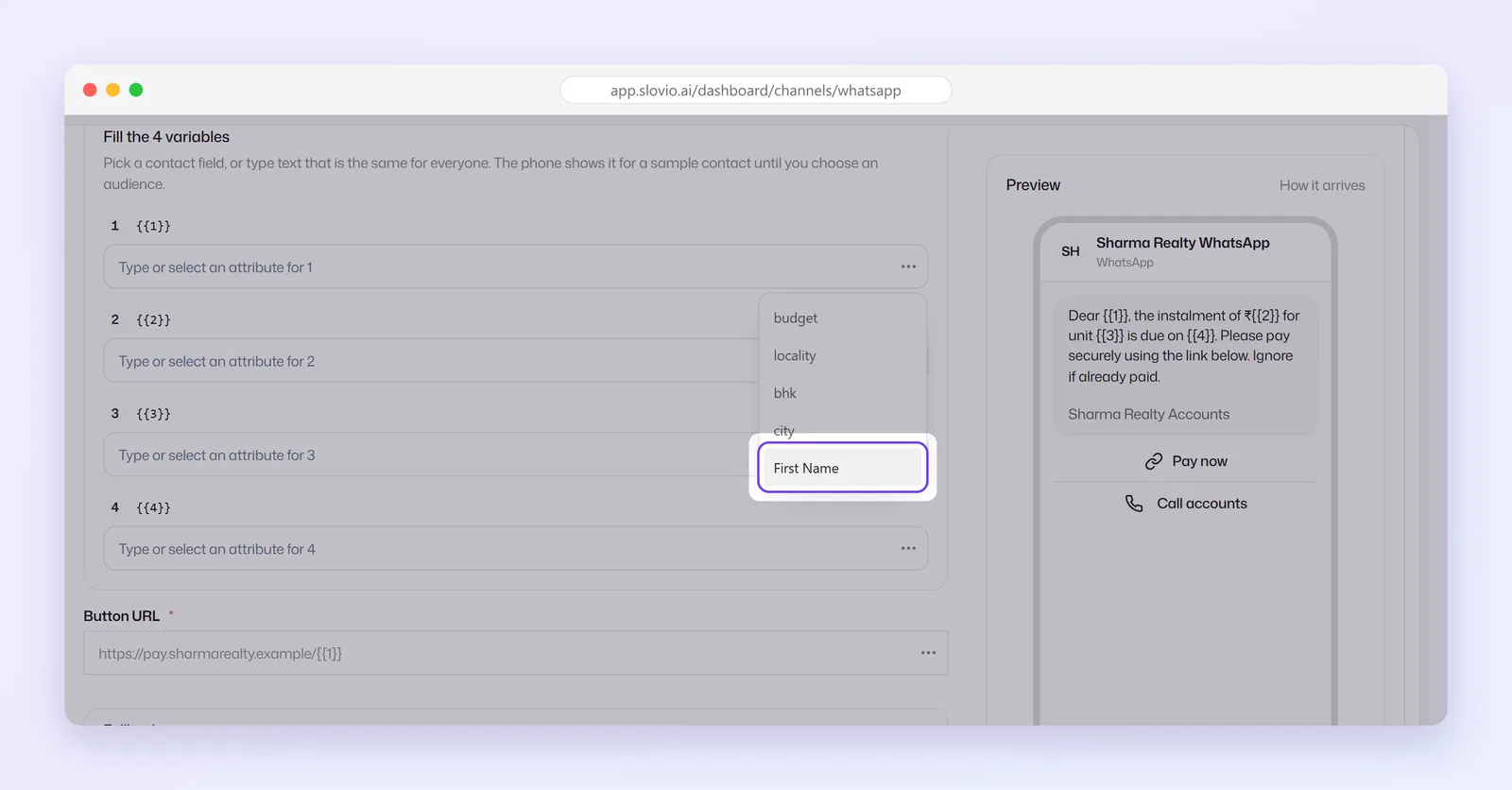
Media: for a template with an image, video or document header, tick Use Custom Media Header and Select File.
Optional Fallback: send the same audience on another channel if the first cannot deliver. See Broadcast fallback.
Opt-in only, When to send and Test on one number (below).
Audience: choose a tab:
- Contacts: tick people from your contact list.
- Segments: tick one or more saved segments.
- Upload: an Excel file. See Broadcast audience from Excel.
Select Send broadcast (or Schedule broadcast when you chose Later).
How variables get their values
The … menu beside each variable lists your CRM custom properties and the built-in fields First Name, Last Name, Mobile and Email. Picking one puts a token such as {{firstName}} in the box. You can also type fixed text, or mix both, for example Order {{order_id}}.
After you pick a field, a badge with its name appears. Select it to set a Fallback, the value used when a contact has no value for that field. Without a fallback, that spot is sent blank.
A dynamic website button has its own Button URL row. You can only pick a field for it from its … menu, and a contact with no value for that field is likely to be rejected by WhatsApp.
Send options
- Opt-in only (on by default): send only to contacts with opt-in on.
- When to send: Send now, or Later with a date and time. The time must be in the future.
- Test on one number → Send test: delivers the template once to that number. It does not start the broadcast.
Price and wallet
Beside the send button, Slovio shows the price, in the form <amount> INR for <n> contacts. Failed messages are refunded. When the audience spans several countries, a per-country breakdown appears.
The cost is held from your wallet when the broadcast starts, and anything not sent is released. A scheduled broadcast fails with "Insufficient balance at scheduled send time" if the wallet cannot cover it then. See How usage is charged.
Cancel a scheduled broadcast
On the Broadcast tab, open the broadcast's menu and choose Cancel schedule.
Messages you may see
| Message | Fix |
|---|---|
| Please select a Template | Choose a template. |
| Enter Broadcast Name | Fill in Name. |
| Select media | The template has a media header. Tick Use Custom Media Header and select a file. |
| Card N has some empty parameters. | Fill every variable on every carousel card. |
| Please select contacts from the table | Tick at least one contact, or switch tab. |
| Upload a contact file before sending | Upload a file on the Upload tab. |
| Selected time must be in the future | Pick a later time. |
Common questions
Can I send a broadcast without a template?
No. WhatsApp only lets a business start a conversation with a template Meta has approved. Create one first; see WhatsApp templates.
Can I send the same broadcast to several segments?
Yes. On the Segments tab, tick every segment you want.
Does a test send count against my wallet?
A test send is a real template message to one number, so it is charged like one.
How do I stop a scheduled broadcast?
Open the Broadcast tab, find it, and choose Cancel schedule from its menu.
Why did fewer people receive it than I selected?
Opt-in only skips contacts with opt-in off, and some messages fail to deliver. Open the broadcast's statistics to see who failed and why; see Broadcast reports and retargeting.
Stuck, or is something here out of date? Tell the team — we reply within a working day.