Invoices and GST
Where to find and download your Slovio invoices, how to add your GSTIN and billing details so invoices carry your business name, and how GST is applied.
2 min readUpdated
Your invoices are in the account menu → Subscription & wallet → Invoices. To get invoices in your business name with your GSTIN, add your details under Profile & account → Overview → Edit → Billing Information before the invoice is issued.
Find your invoices
- Open the account menu (your avatar, bottom left) → Subscription & wallet.
- Select the Invoices tab.
Each row shows Invoice #, Date, Description, Amount and Status: Paid, Pending, Failed or Refunded.
Invoices are issued for:
- plan purchases and renewals, and
- AI usage, as one line per month, for example "AI usage (2026-09)".
Wallet recharges are listed on the Orders tab.
Add your GSTIN to invoices
Open the account menu → Profile & account → Overview.
Select Edit.
Under Billing Information, fill in Company Name, Address, City, State, Zip Code (your PIN code), Country and Tax ID (your GSTIN).
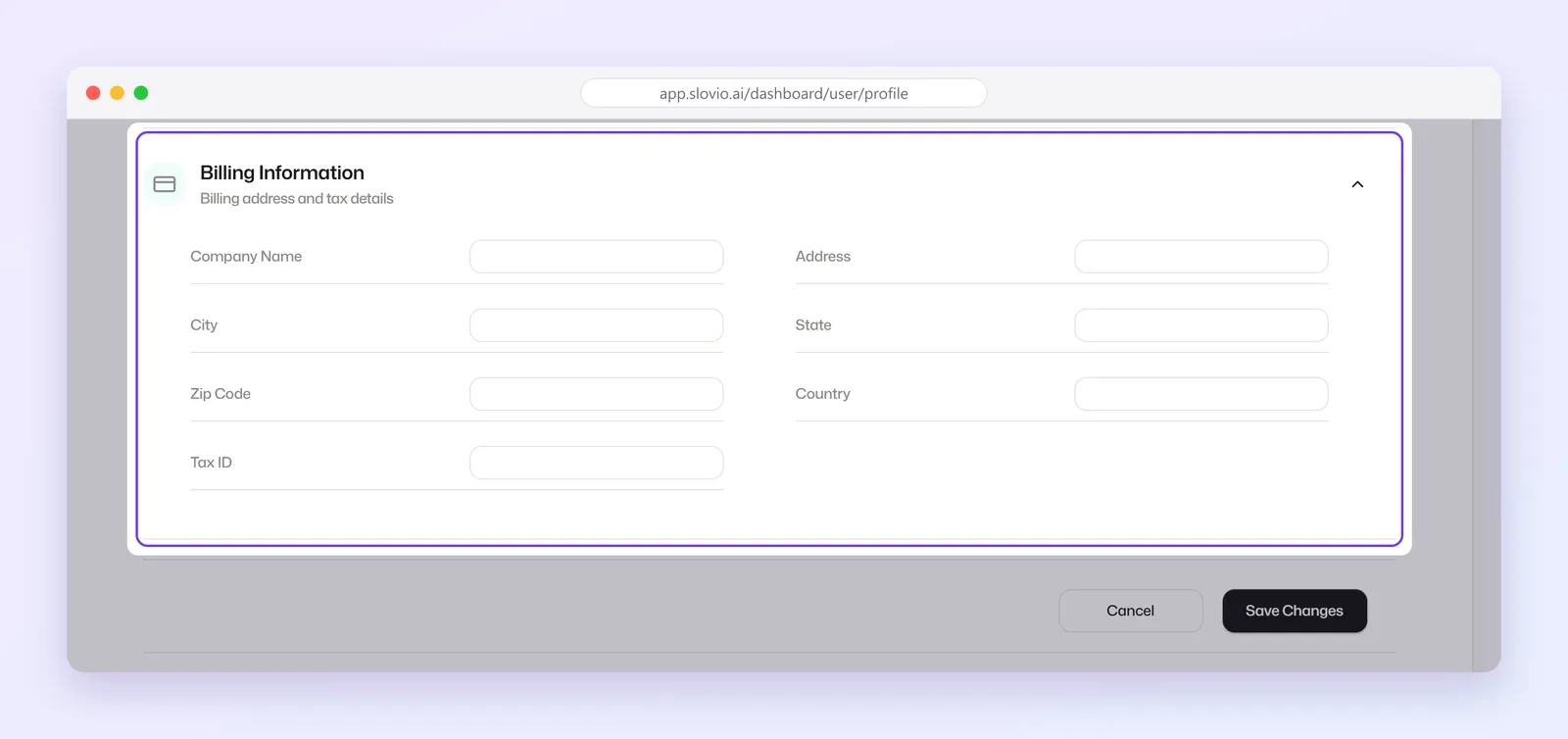
Select Save Changes.
New invoices use these details. Invoices already issued do not change.
How GST is applied
- Wallet recharges: 18% GST on the amount, plus a 2% payment fee on the amount plus GST. See Wallet and recharge.
- Plan invoices: tax follows the invoice setting of the business that provides your account. By default this is 18% GST.
- Prices on the website and in the app are shown before GST unless stated otherwise.
Worked example
Agarwal Logistics, Lucknow, wants its GSTIN on the October plan invoice.
- On 28 September the owner opens Profile & account → Overview → Edit.
- Billing Information: Company Name "Agarwal Logistics LLP", Address "12 Hazratganj", City Lucknow, State Uttar Pradesh, Zip Code 226001, Country India, Tax ID 09AAKFA1234B1Z2.
- Save Changes.
Result: the plan renewal invoice issued on 1 October shows Agarwal Logistics LLP with GSTIN 09AAKFA1234B1Z2, so the firm can claim input tax credit. The September invoice keeps its old details.
Common questions
Can I get an old invoice reissued with my GSTIN?
Changing Billing Information affects only new invoices. Contact support about an invoice that has already been issued.
Why is there no invoice for my wallet recharge?
Recharges appear on the Orders tab. The Invoices tab lists plan and monthly AI usage invoices.
Where does the "AI usage" invoice come from?
It is a monthly invoice for AI replies and summaries used that month, when your plan bills AI usage separately.
I gave my GSTIN during verification. Why is it not on my invoice?
Invoices use Billing Information in your profile. Add your GSTIN as Tax ID there.
Stuck, or is something here out of date? Tell the team — we reply within a working day.