Wallet and recharge
How to add money to your prepaid Slovio wallet, what GST and fees a recharge costs, the minimum and maximum amounts, and what happens at zero balance.
3 min readUpdated
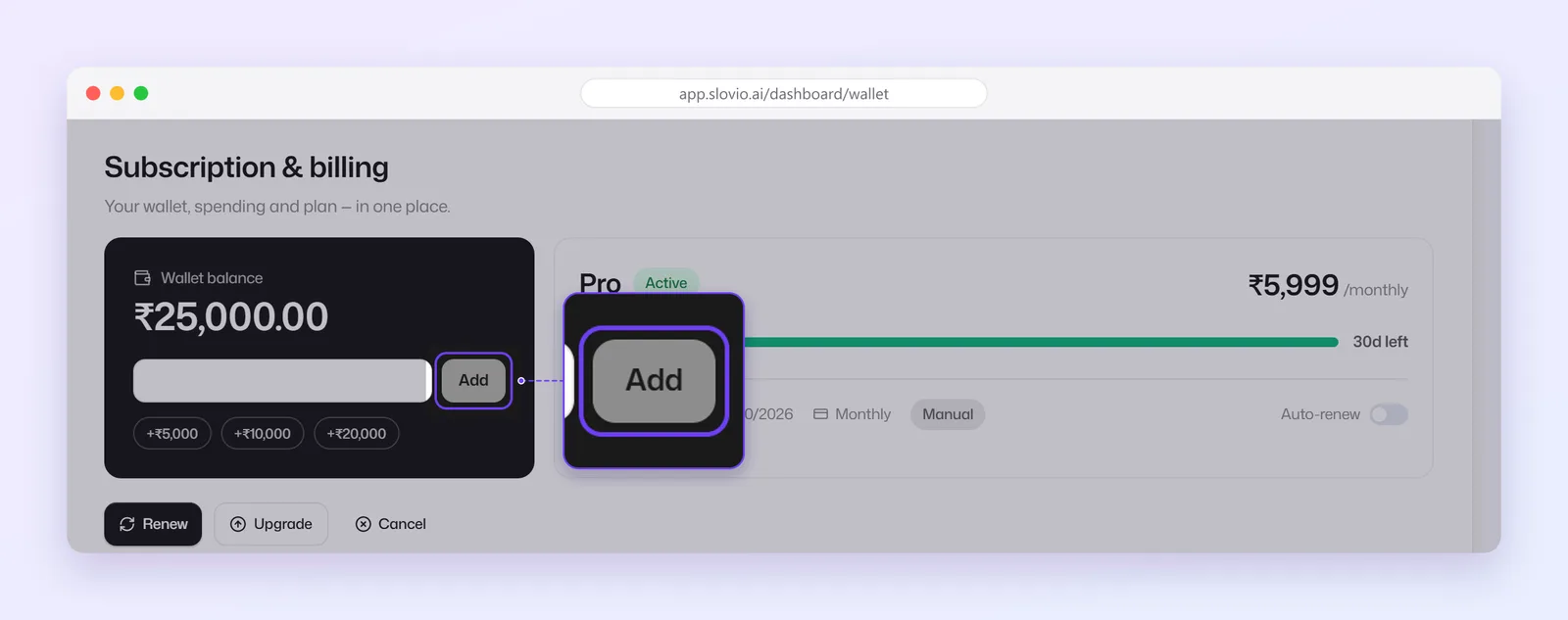
Slovio is prepaid: every message and call minute is paid from your wallet. To add money, open the account menu → Subscription & wallet, enter an amount in Wallet balance, select Add and pay at checkout.
Add money to your wallet
Open the account menu (your avatar, bottom left) → Subscription & wallet.
In Wallet balance, type an amount in whole rupees, or pick +₹5,000, +₹10,000 or +₹20,000.
Select Add and pay in the checkout.
You see Payment Successful with "The amount will be added to your wallet shortly."
| Limit | Amount |
|---|---|
| Minimum recharge | ₹2 |
| Maximum per recharge | ₹10,00,000 |
A larger amount shows "Amount cannot exceed 10,00,000 per recharge". Split it into more than one recharge.
What a recharge costs
Your wallet is credited with the amount you choose. At checkout you also pay:
- GST at 18% on the amount, and
- a 2% payment convenience fee on the amount plus GST.
The total is rounded to whole rupees.
Worked example
You add ₹10,000:
| Line | Amount |
|---|---|
| Wallet credit | ₹10,000 |
| GST 18% | ₹1,800 |
| Fee 2% of ₹11,800 | ₹236 |
| You pay at checkout | ₹12,036 |
Your wallet balance goes up by ₹10,000.
If you see "Payment gateway not configured"
"Payment gateway not configured. Please contact your admin." means online payments have not been set up for your account by the business that provides your Slovio account (your reseller or admin). You cannot fix this yourself. Contact them to switch on payments, or ask them to recharge your wallet. You may instead see "Contact Admin to Enable Payment Gateway", which means the same thing.
See where the money went
Subscription & wallet has these tabs:
| Tab | Shows |
|---|---|
| Orders | Your recharges and plan purchases. This tab opens first. |
| Wallet Logs | Every credit and deduction, with what it was for. |
| Plans | Buy, change or renew your plan. |
| History | Your plan history. |
| Invoices | Invoices for plans and monthly AI usage. See Invoices and GST. |
| Pricing & countries | The rate per message for each channel and country. |
A spend summary per channel is shown on the same page.
Low-balance warning
When your balance will last less than about 3 days at your recent pace, the wallet shows "At your recent pace this balance lasts about N days." The pace uses the spend period selected on the page (30 days by default).
When the wallet is empty
- Messages fail with Insufficient balance. Nothing is sent and nothing is charged.
- Calls cannot start: "Insufficient balance to start the call".
- A plan purchase from the wallet shows the amount required and the amount available.
Incoming messages keep arriving in the Inbox. Recharge and sending resumes.
Common questions
What is the smallest amount I can add?
₹2. The field takes whole rupees only.
Is GST charged on the recharge?
Yes. You pay 18% GST on the amount plus a 2% payment fee. Your wallet is credited with the amount you typed, before GST and fee.
Why does it say Payment gateway not configured?
The business that provides your account has not set up online payments yet. Contact them; you cannot switch it on yourself.
Do I get an invoice for a recharge?
Recharges are listed under Orders. The Invoices tab holds plan and AI usage invoices.
What happens to incoming messages at zero balance?
They keep arriving in the Inbox. Only outbound messages and calls stop until you recharge.
Stuck, or is something here out of date? Tell the team — we reply within a working day.