Connect Instagram and Facebook
Connect a Facebook Page (Messenger) or an Instagram professional account to Slovio, choose DMs, comments and story mentions, and fix connection errors.
2 min readUpdated
To connect Instagram or Facebook, go to More → Workspace → Channels, select Connect on Instagram or Facebook, log in with Facebook and pick your Page. Messages then arrive in the Inbox, and Instagram comments can be answered by a comment bot.
Before you start
- Facebook Messenger: admin access to the Facebook Page.
- Instagram: an Instagram professional (business or creator) account, linked to a Facebook Page you admin.
Connect
Go to More → Workspace → Channels and select Connect on Facebook or Instagram.
Enter a Channel name (you can rename it later).
Select Continue with Facebook (or Or use a saved Facebook login) and grant access to your Pages.
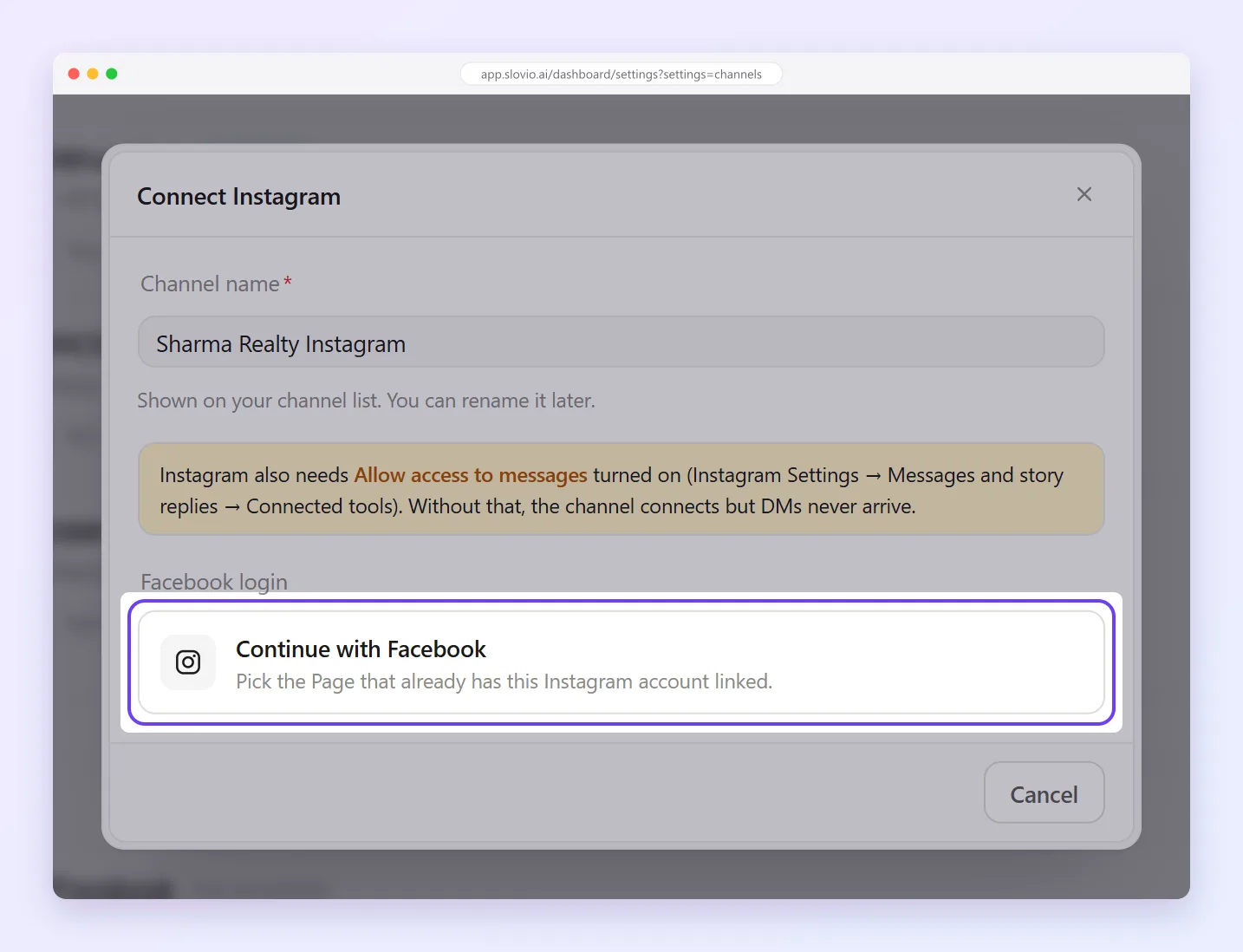
Pick the Page. For Instagram, pick the Page that the Instagram account is linked to.
Choose what Slovio should receive:
- Direct messages: Messenger or Instagram DMs in the Inbox.
- Comments: for comment bots (not a second inbox).
- Story mentions: story replies (needs Direct messages on).
Select Connect with your Page name, then Done.
Instagram: allow message access
In the Instagram app, go to Settings → Messages and story replies → Connected tools and turn on Allow access to messages. Without it, the channel connects but DMs never arrive.
Reply windows
- Facebook Messenger: reply freely within 24 hours of the customer's last message. After that, a human agent can still reply for up to 7 days.
- Instagram: reply within Instagram's messaging window after the customer's last message.
Instagram tools
Open Instagram in the sidebar for Dashboard, Comment Bot, Growth, Posts, Automations and Settings. Settings includes a connection health check. To auto-reply to comments, see Instagram comment automation.
Connection problems
| Message | Fix |
|---|---|
| No Facebook Pages found for this account | Log in with a Facebook account that is admin of the Page. |
| None of your Facebook Pages have a linked Instagram professional account | Link the Instagram account to your Page (Instagram → Settings → Account type and tools), then retry. |
| Meta rejected this connection | The login stopped working, usually after a password change, a revoked app or an expired login. Reconnect. |
| Missing permission | Reconnect and accept every permission Facebook asks for. |
| Access token has expired — reconnect required | Reconnect the channel. |
Common questions
Can I connect a personal Instagram account?
No. It must be an Instagram professional account (business or creator), linked to a Facebook Page you admin.
Why do Instagram DMs not arrive after connecting?
Turn on Allow access to messages in the Instagram app under Settings → Messages and story replies → Connected tools.
Do comments show up in the Inbox?
No. Turning on Comments is for comment bots, not a second inbox. Direct messages go to the Inbox.
How long can I reply to a Messenger conversation?
Freely within 24 hours of the customer's last message. After that, a human agent can still reply for up to 7 days.
What do I do when the connection stops working?
Reconnect the channel. This usually follows a Facebook password change, a removed app permission or an expired login.
Stuck, or is something here out of date? Tell the team — we reply within a working day.