AI replies in chatbots
How to use the AI Conversation and Knowledge Base Answer blocks in a Slovio chatbot to answer customers with AI, capture leads and hand over to a person.
4 min readUpdated
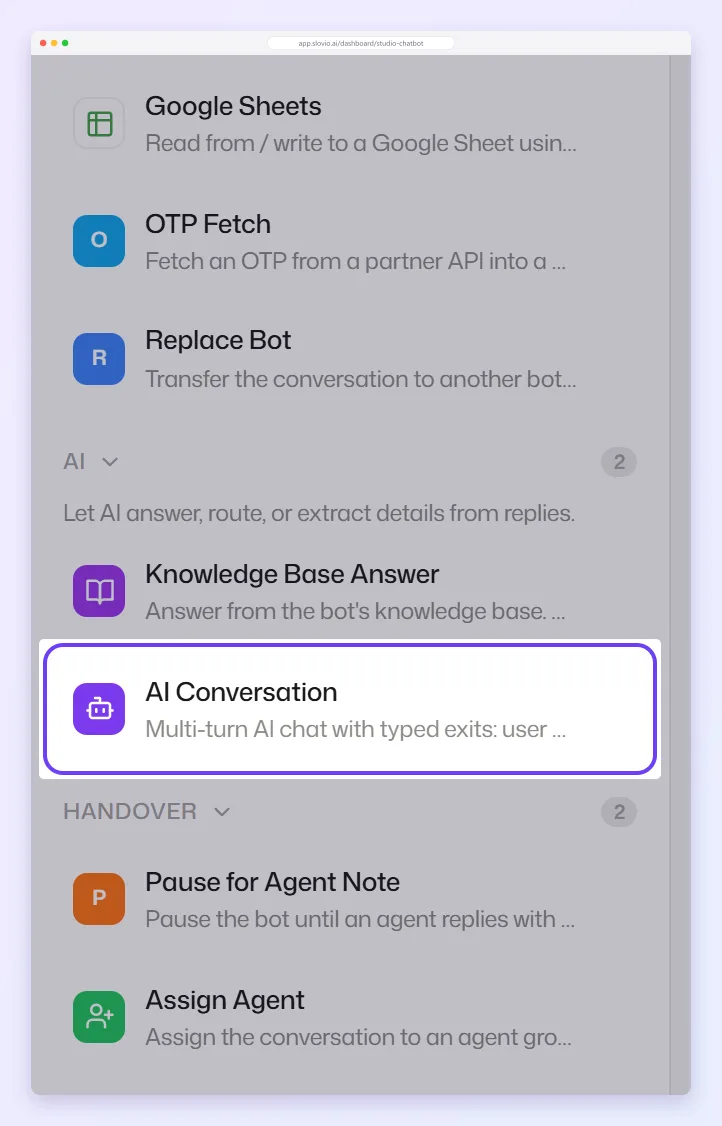
To answer customers with AI in a chatbot, add the AI Conversation block for a free back-and-forth chat, or the Knowledge Base Answer block to answer a single question from your knowledge base. Both are in the chatbot builder's AI group, and both read from the knowledge you link under Bot knowledge.
Set up the AI Conversation block
The AI Conversation block holds a conversation with the customer, following your instructions and your knowledge base. Only Instructions is required. The other settings are under the advanced section.
| Setting | What to put |
|---|---|
| Instructions | Who the bot is and what it should do, for example "You are the sales assistant for a Pune real-estate developer. Qualify buyers: budget, location, BHK, timeline." |
| Tone | How it should sound. |
| Boundaries | What it must never do, for example "Never promise discounts". |
| Reply length | Concise (1 to 2 sentences), Normal (2 to 4 sentences) or Detailed. |
| Result variable | Where the last AI reply is saved. |
| Max turns | How many turns the conversation can run. If left empty, it runs for up to 50. |
| History window | How many past messages it remembers, 1 to 100 (default 15). |
| Extract contact data and Lead capture fields | Details to collect and save to the contact. Ask for info first makes it collect them before answering. |
| Documents | The knowledge it answers from. See below. |
It ends through one of its exits: User is done, Wants a human, Can't answer, or a custom exit you define (up to 10). Connect Wants a human and Can't answer to an Assign Agent block.
Set up the Knowledge Base Answer block
The Knowledge Base Answer block searches your knowledge base for one question and saves the answer. It does not send anything by itself.
- Add the block and choose its Knowledge (see below).
- Question to search: leave empty to use the customer's last message.
- Save answer to variable (required), for example
kb_answer. - Connect Answer found to a message block that sends
{{kb_answer}}. - Connect No answer to a fallback, such as Assign Agent. The builder warns you if No answer is not connected.
Link knowledge to your bot
Both blocks have the same knowledge field.
- Bot knowledge → + Add links a knowledge base to the whole bot. Every AI Conversation and Knowledge Base Answer block in that bot can then search it. You need at least one knowledge base first; see Knowledge base.
- Limit this node to specific documents is a per-block option. Tick PDF documents from the linked knowledge bases.
How they work together:
| Block setting | What the block searches |
|---|---|
| No documents picked (default) | All bot knowledge: every linked knowledge base's documents, Q&A pairs and websites, with its settings. |
| Specific documents picked | Only those PDF documents. Q&A pairs, websites and the knowledge base's settings are not used for this block. |
Which AI model?
Slovio chooses the model for each feature. To use your own AI provider account, add your key: see Bring your own AI key.
Keep it safe
- Put facts (prices, policies) in the knowledge base as Q&A pairs, not in the instructions, so they are quoted exactly.
- Select Test in the builder before you go live: ask awkward questions and check it hands over.
- Open Logs from the chatbot list and look for sessions that ended in Can't answer. Add those answers to your knowledge base.
Worked example: a coaching institute
Vidya Coaching Centre, Kota, links its "Courses and fees" knowledge base under Bot knowledge → + Add.
- AI Conversation instructions: "You are the admissions assistant. Answer questions on JEE and NEET batches, fees and timings. Collect the student's name, class and phone. Hand over if they ask for a counsellor."
- Lead capture fields: name, class. Reply length: Concise.
- Wants a human and Can't answer go to Assign Agent with the tag "Admissions".
A parent writes "What is the fee for the JEE 2027 batch?". The bot answers "₹1,45,000 for the full year, payable in three instalments", from a Q&A pair. It asks for the student's class, saves it to the contact, and hands over when the parent asks to speak to a counsellor.
Common questions
Does the Knowledge Base Answer block reply to the customer?
No. It saves the answer to a variable. Add a message block after Answer found that sends the variable.
Do I have to pick documents in every block?
No. Link a knowledge base once under Bot knowledge, and every AI block in the bot uses it.
Can I use an agent from the AI Agents hub in a chatbot?
No. Chatbots use the AI Conversation and Knowledge Base Answer blocks. Hub agents run from workflows.
How do I stop the AI making up prices?
Put exact prices in Q&A pairs, and add a boundary such as "Only quote prices from the knowledge base".
Stuck, or is something here out of date? Tell the team — we reply within a working day.