WhatsApp business profile
Edit your WhatsApp business profile in Slovio: the profile picture, description, about line, websites, email, address and industry customers see.
1 min readUpdated
Your WhatsApp business profile is what customers see when they tap your name in WhatsApp. Edit it from More → Workspace → Channels → Manage on your WhatsApp number, then select Save.
Edit the profile
Go to More → Workspace → Channels.
On WhatsApp, select Manage for the number.
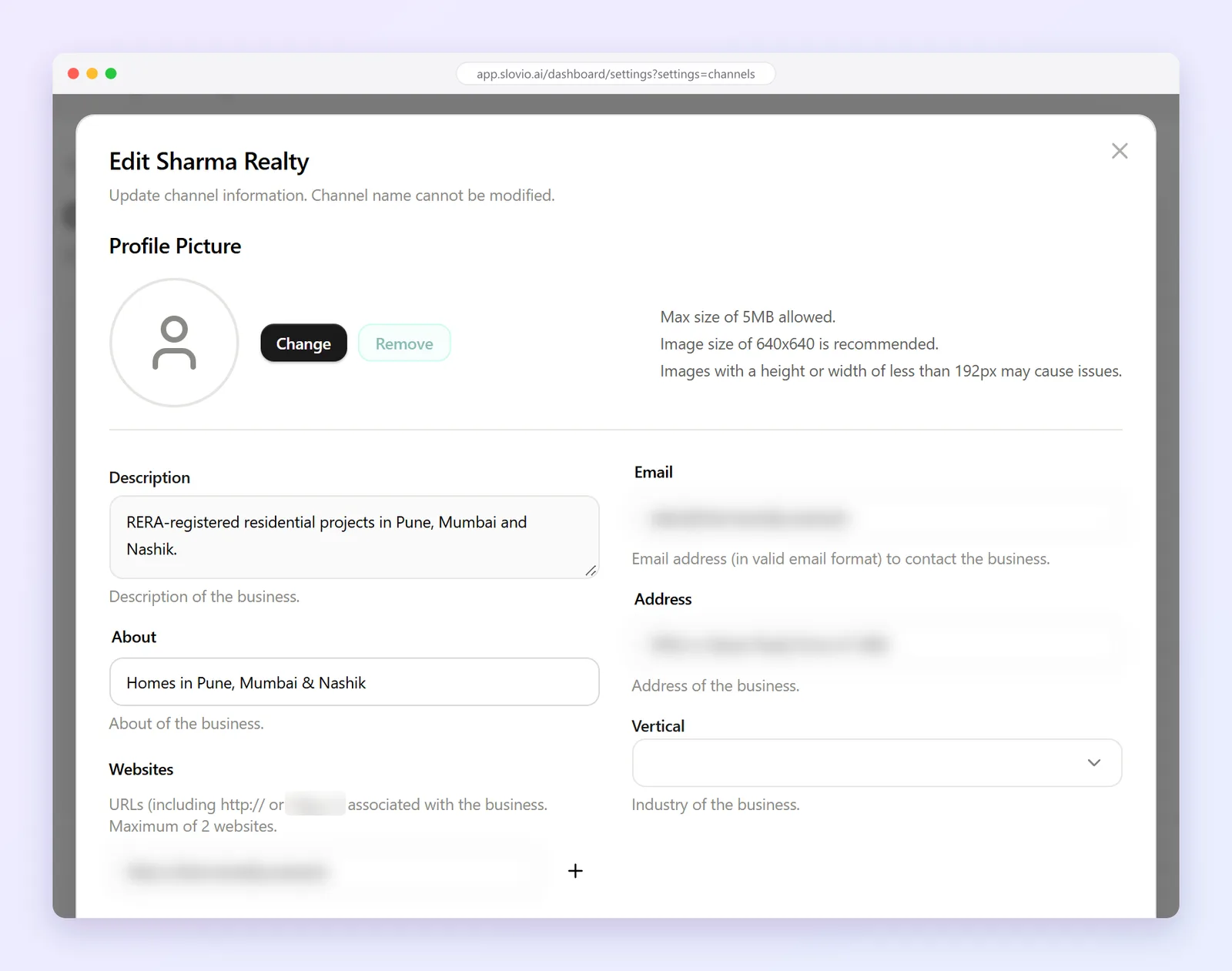
Update the fields and save.
| Field | Notes |
|---|---|
| Profile Picture | Square, 640×640 px recommended, up to 5 MB. Images under 192 px may be rejected. |
| Description | What your business does. |
| About | The short status line under your name. |
| Websites | Up to 2. |
| Email, Address | How customers can reach you. |
| Vertical | Your industry. |
| Internal Notes | Only your team sees these. |
Tips for a trusted profile
- Use your logo, not a photo of a product.
- Put your support hours in About.
- Add your website so customers can check you are genuine.
Common questions
Can I change my WhatsApp display name here?
No. Meta approves the display name when you connect the number. The channel name in Slovio is only for your team.
What size should the profile picture be?
Square, 640×640 px is recommended, up to 5 MB. Images under 192 px on either side may cause problems.
How many websites can I add?
Up to 2.
Who sees the Internal Notes?
Only your team in Slovio. Customers never see them.
Stuck, or is something here out of date? Tell the team — we reply within a working day.