Broadcast reports and retargeting
Read WhatsApp and RCS broadcast reports in Slovio, see who received, read or failed, export recipients, and retarget people who read, did not read or failed.
3 min readUpdated
Every broadcast has a report. Open the channel's Broadcast tab, open a broadcast's menu and choose View statistics to see what it cost, who received and read it, who failed, and to retarget any of those groups with a new broadcast.
For SMS broadcasts, the menu item is View recipients and opens the SMS delivery log.
The broadcast list
The Broadcast tab lists each broadcast with Name, Broadcasted at, Sent, Delivered, Read / Reply, Clicks (when the template has a tracked link), Audience and Status.
- WhatsApp has three sub-tabs: Overview, Scheduled and API (messages sent through the API).
- Filter by status: Success, Failed, Scheduled or Sending (RCS has no Sending).
- Use the date range at the top to change the period.
Statistics
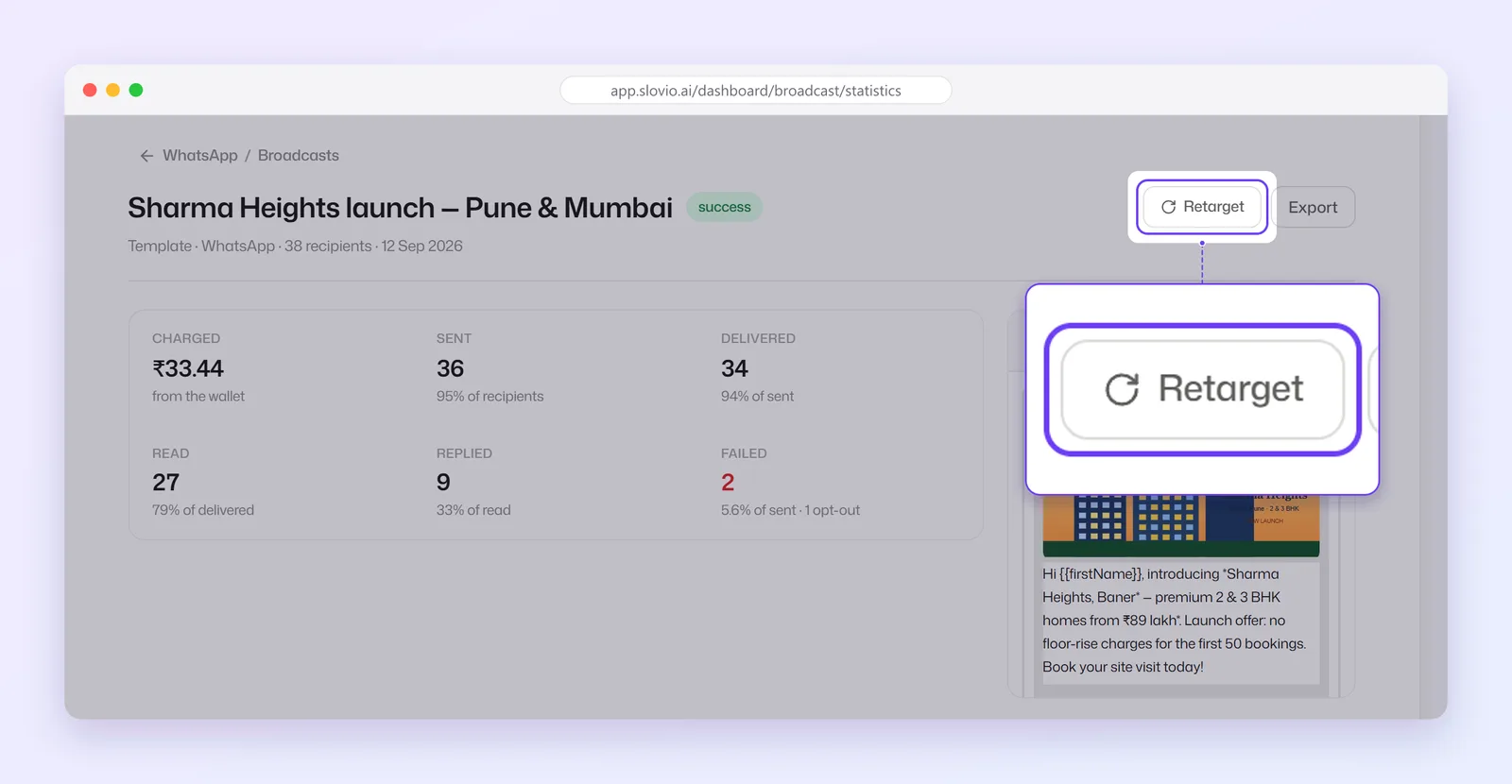
Open a broadcast's menu → View statistics. The top of the report shows:
| Figure | Meaning |
|---|---|
| Charged | What the broadcast cost, from the wallet. |
| Sent | Messages handed to WhatsApp, and their share of recipients. |
| Delivered | Messages that reached the phone, as a share of sent. |
| Read | Messages opened, as a share of delivered. |
| Replied | Recipients who replied, as a share of read. |
| Failed | Messages that failed, with the opt-out count. |
Below, Recipients lists every person. Search by mobile number, and filter by Status, Click Status and Replied Button (which button they tapped).
Export
Select Export to prepare a file of the recipients and their statuses. It runs in the background; when it is ready, select Download. If it fails, select Retry export. Broadcasts with tracked links also have Click report, with one row per click.
Retarget
Retargeting starts a new broadcast to part of the first one's audience.
On the statistics page, select Retarget.
Under By Status, choose Sent, Delivered, Read, Unread or Failed. For Failed, retarget every failure or tick specific failure reasons and select Retarget selected.
With tracked links, By Click also offers Clicked and Not Clicked.
The broadcast page opens with that audience. Pick a template, fill it in and send.
Worked example
Kaveri Organics sent a Diwali offer to 8,000 customers. The report shows 7,600 Delivered, 4,900 Read and 150 Failed. The next day they:
- Select Retarget → Unread to reach the 2,700 people who got the message but did not open it, with a shorter reminder template.
- Select Retarget → Failed, tick only the reasons worth retrying, and send those people the offer on RCS.
Each of these is a separate broadcast with its own report and charge.
Common questions
Why is Read lower than Delivered?
Read counts only people who opened the message and have read receipts switched on in WhatsApp. People with read receipts off never show as read.
Is retargeting free?
No. Each retarget is a new broadcast and is charged at the normal rate for its template.
Where do I see why a message failed?
On the statistics page, open Retarget → Failed to see the failure reasons, or export the recipients.
Can I retarget people who tapped a particular button?
Filter Recipients by Replied Button to see them. The Retarget menu itself offers the status and click groups.
Stuck, or is something here out of date? Tell the team — we reply within a working day.