Connect SMS
Connect DLT-registered SMS to Slovio with your Principal Entity ID, what DLT registration you need first, and how to tell whether the channel can send.
2 min readUpdated
To connect SMS, go to More → Workspace → Channels, select Connect on SMS, and enter a channel name and your DLT Principal Entity ID. Then add your registered sender IDs and templates.
Every commercial SMS in India must be registered on a DLT platform: your business (the principal entity), each sender ID (header) and each message template. Slovio sends only what is registered.
Before you start
Register on any operator's DLT portal (Jio, Airtel, Vodafone Idea or BSNL) and have:
- your Principal Entity ID (PE ID),
- the headers (sender IDs, 3 to 11 letters or digits) you registered,
- the content templates you registered, with their DLT template IDs.
Connect
Go to More → Workspace → Channels and select Connect on SMS.
Enter a Channel name and your Principal Entity ID.
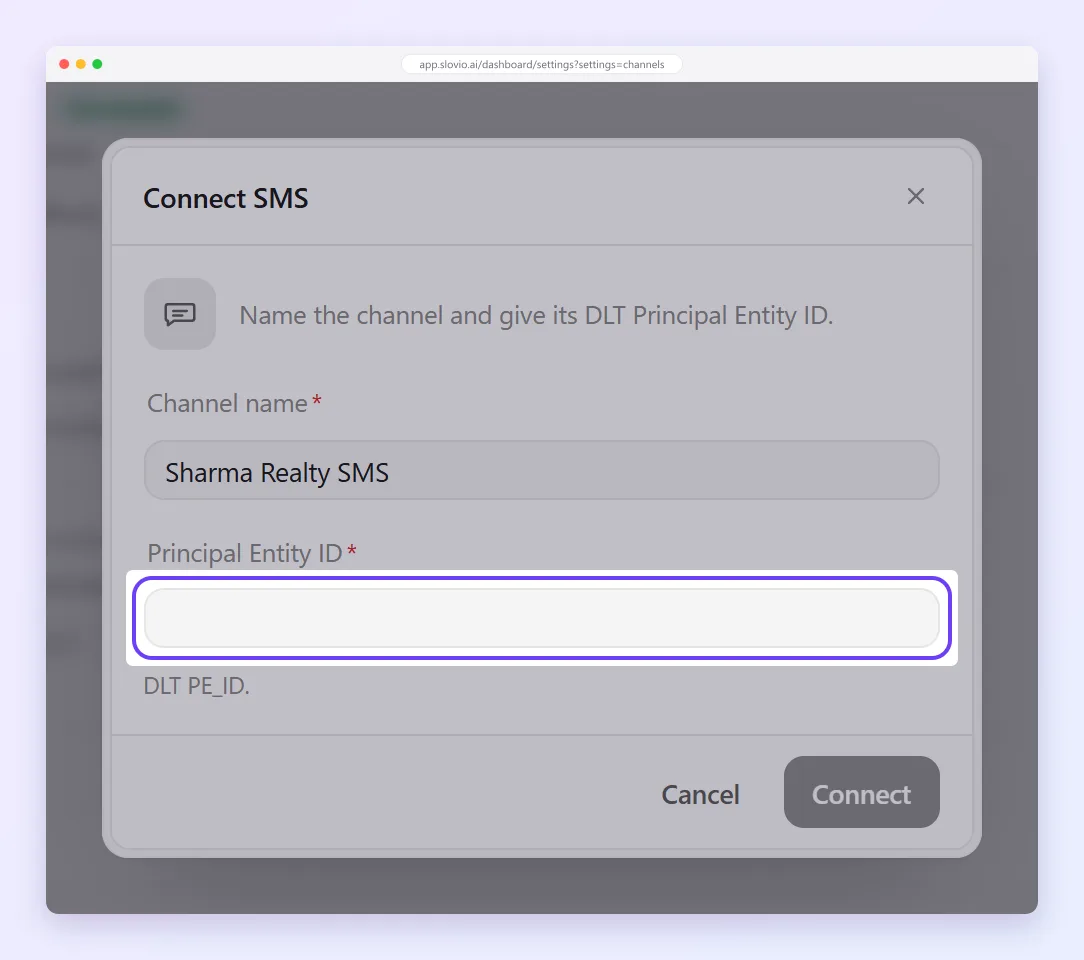
Select Connect. SMS appears in the sidebar, with the tabs Dashboard, Templates, Senders and Broadcast.
Then add your sender IDs and templates.
Can you send?
The Dashboard tab shows whether the channel is ready. A message is refused unless both its header and its template are registered, approved and linked to each other. The reasons you may see:
| Reason | Fix |
|---|---|
| sender id … is not registered | Add the header on Senders. |
| sender id … is switched off | Switch the header back on. |
| DLT template … is not registered | Add the template on Templates. |
| DLT template … is not approved | Wait for approval, or fix and resubmit it. |
| DLT template … is not registered against sender id … | Link the template to that header. |
For each message, see what happened in the SMS delivery log.
Common questions
Do I need DLT registration before connecting SMS?
Yes. Every commercial SMS in India must be registered on a DLT platform. You need your Principal Entity ID, your registered headers and your registered content templates.
Which DLT portal should I use?
Any operator's portal works: Jio, Airtel, Vodafone Idea or BSNL.
Why can't my SMS channel send yet?
A message is refused unless its sender ID and template are both registered, approved and linked to each other. The Dashboard tab shows the reason.
Can customers reply to my SMS?
No. SMS is send-only in Slovio, and replies are not shown in the Inbox.
Stuck, or is something here out of date? Tell the team — we reply within a working day.