Business verification (KYC)
How to complete Slovio business verification (KYC) in five steps, which documents each business type needs, what each status means, and the sending deadline.
4 min readUpdated
Telecom rules in India require every business that sends messages or makes calls to be verified. The account owner completes it from the Verify your business banner or the account menu → Profile & account → Verification. It takes about 10 minutes, and your answers save as you go.
Start verification
When verification is needed, the account owner sees a banner at the top of the app. Select Start verification (or Continue verification if you have started). You can also go to the account menu → Profile & account → Verification. Only the account owner can complete it.
Complete the five steps
- Business and billing: your Customer type (Individual, Proprietorship, Partnership or LLP, Company, or Other such as a trust or government body), Registered for GST?, Legal name, as on PAN, Brand or trade name, PAN, GSTIN, CIN (or LLPIN, if an LLP), Industry, Registered address, Website, if you have one, and Email for invoices. Under Invoices and GST credit, choose Use these details or Use different billing details.
- Services: the services you will use (Bulk SMS, WhatsApp Business API, RCS, Voice calls and OBD, Call centre), Expected messages or calls per month, How people opt in to hear from you, and What you will send, and to whom.
- People and identity: whether you sign agreements for the business. If not, give the signatory's name, designation, mobile and email. Then Your identity document: Masked Aadhaar, Passport, Driving licence or Voter ID.
- Documents: upload what your business type needs (below). Each file can be up to 10 MB.
- Review and sign: check everything, then sign with the codes sent to the signatory's registered mobile and email. Select Sign and submit.
Select Save and exit at any point to finish later.
Documents by business type
| Customer type | Documents |
|---|---|
| Individual | PAN card |
| Proprietorship | Proprietor's PAN (bank proof optional) |
| Partnership / LLP | Partnership deed or LLP agreement/certificate, firm PAN, authority for the signatory (list of partners optional) |
| Company | Certificate of Incorporation, company PAN, board resolution naming the signatory (MOA and AOA optional) |
| Other | Constitution document, PAN or foreign tax registration, authority for the signatory |
Everyone also provides:
- an identity document;
- if you are not the signatory: the signatory's ID and an authorisation letter for you;
- a GST registration certificate, or if not registered for GST, an address proof (utility bill under 2 months old, or rent agreement);
- non-GST proprietorships: one business licence (Udyam, Shop and Establishment, or trade licence).
What each status means
The same status is worded differently in two places. The verification form uses the first column; the Verification tab in Profile & account uses the second.
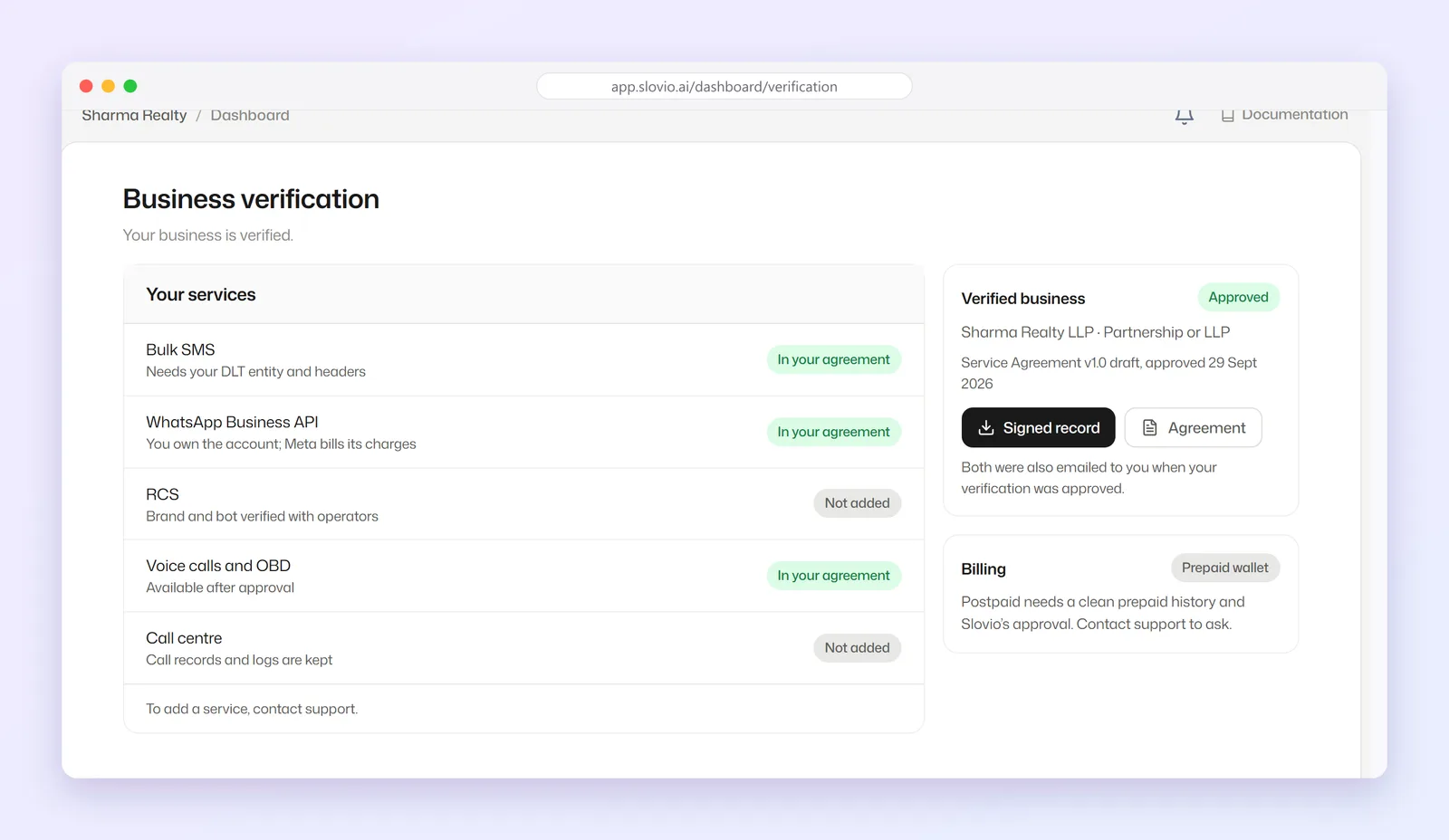
| Verification form | Profile tab | Meaning |
|---|---|---|
| Not started | Not finished (or Overdue) | You have not begun. |
| In progress | Not finished (or Overdue) | You have started filling it in. |
| Waiting for review | In review | Submitted. Our team is reviewing it. |
| Changes needed | Changes needed or Re-verify | A reviewer asked for a change. |
| Approved | Verified | Done. The profile shows your Enrollment number, issue date and service agreement version. |
| Not approved | Not approved | Rejected. Contact support to discuss. |
The banner title also changes: Verification submitted while in review, Your verification needs a change or Please re-verify your business when changes are needed, and Business verification not approved when rejected. Select View status to see details.
The deadline
New accounts get a grace period, 21 days unless your account says otherwise. The banner shows how many of the 5 steps are done and the due date. In the last 3 days its title becomes "Verify your business within N days". After the deadline it reads Business verification is overdue.
After the deadline, outbound sending pauses until your verification is submitted or approved:
- WhatsApp, RCS and SMS broadcasts
- WhatsApp template messages and RCS messages
- outbound calls
Signing in, the wallet, incoming messages and the verification form keep working. The refusal reads "Sending is paused until this account's business verification is approved…".
Worked example: a private limited company
Shree Ganesh Textiles Pvt Ltd, Surat, is registered for GST. The director, Kiran Desai, is the account owner and the signatory.
- Step 1: Customer type Company, Registered for GST? yes, GSTIN 24AAACS1234F1Z5, CIN, registered address in Surat.
- Step 2: WhatsApp Business API and Bulk SMS, 50,000 messages a month, opt-in from the website order form.
- Step 3: Kiran signs for the business and uploads a masked Aadhaar.
- Step 4: Certificate of Incorporation, company PAN, board resolution naming Kiran, GST certificate.
- Step 5: Kiran enters the codes from her mobile and email, then selects Sign and submit.
Result: the form shows Waiting for review and the profile tab shows In review. Sending continues. On approval both show approved (Approved / Verified), with the enrollment number.
Common questions
Why does one screen say Waiting for review and another say In review?
They mean the same thing: your submission is with our team. The form and the profile tab use different wording.
Can a team member complete verification?
No. Only the account owner sees the banner and the Verification tab.
Will my messages stop while I wait for review?
No. Once you have submitted, sending continues while it is in review.
What happens if I miss the deadline?
Outbound broadcasts, template messages and calls pause until you submit. Incoming messages and replies inside a conversation keep working.
How big can each document be?
Up to 10 MB per file.
Stuck, or is something here out of date? Tell the team — we reply within a working day.