Profile, notifications and appearance
How to edit your Slovio profile and business details, set your timezone, choose which account alerts you get, pick a message tone, and switch to dark mode.
2 min readUpdated
Your profile and settings are in the account menu (your avatar, bottom left) → Profile & account. Select Edit on Overview to change your details, use Notifications to choose alerts, and Appearance in the account menu to switch between light and dark mode.
Profile tabs
| Tab | What is there |
|---|---|
| Overview | Your details. Select Edit to change them. |
| Business | Your business profile. |
| Verification | Business verification. Shown to the account owner when verification applies. |
| Billing | A read-only summary of your plan and billing. |
| Security | Availability, password and two-factor authentication. |
| Notifications | Which account alerts you receive. |
| Tone | The sound played for new message pop-ups. |
Edit your details
Go to Profile & account → Overview → Edit.
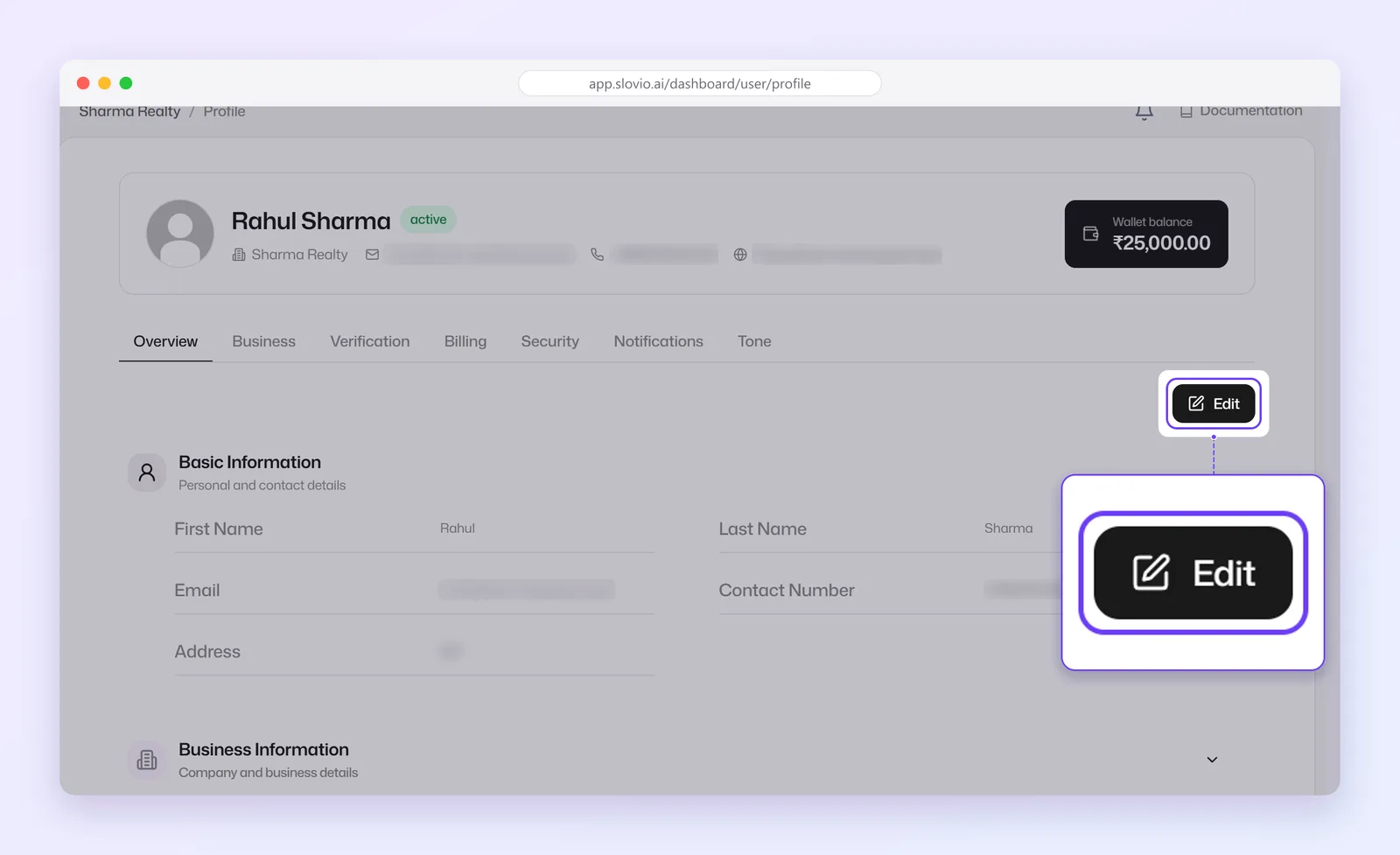
Change your name, contact details, business details (name, website, category, country, currency, timezone, team size, daily volume) or Billing Information.
Select Save Changes.
Changing your login email or phone number asks for your Current password.
Choose your notifications
On Notifications, switch alerts on or off. Changes save automatically.
- Low Balance
- Subscription Ending
- Account Down
- User Onboarded
- Payment Failed
Pick a message tone
On Tone, choose the sound played when a new message pop-up appears.
Switch to dark mode
In the account menu, under Appearance, choose Light, Dark or System (follows your device).
Set your timezone
Your timezone (Overview → Edit) is used for schedules, reports and calling hours. Set it before you schedule broadcasts or call campaigns.
Worked example
Neha runs Kulkarni Travels from Pune but spends the winter in Dubai. Before scheduling a 9 am broadcast for Indian customers, she checks Overview → Edit and keeps her timezone as India (IST), not Dubai. She switches on Low Balance and Payment Failed under Notifications, and picks Dark under Appearance.
Result: the broadcast goes out at 9 am India time, and she hears about a low wallet before a campaign fails.
Common questions
Why can't I see the Verification tab?
It shows only to the account owner, and only when business verification applies to your account.
Why does Slovio ask for my password when I change my email?
Your email and phone are your sign-in details. Asking for your current password stops someone else changing them.
Which timezone should I use?
The timezone of the customers you schedule for. Broadcasts, reports and calling hours follow it.
Do notification changes need saving?
No. Changes on Notifications save automatically.
Stuck, or is something here out of date? Tell the team — we reply within a working day.