Broadcast audience from Excel
Upload an Excel file as a broadcast audience in Slovio: the phone column, name and custom columns, default country, file limits, and using columns as variables.
4 min readUpdated
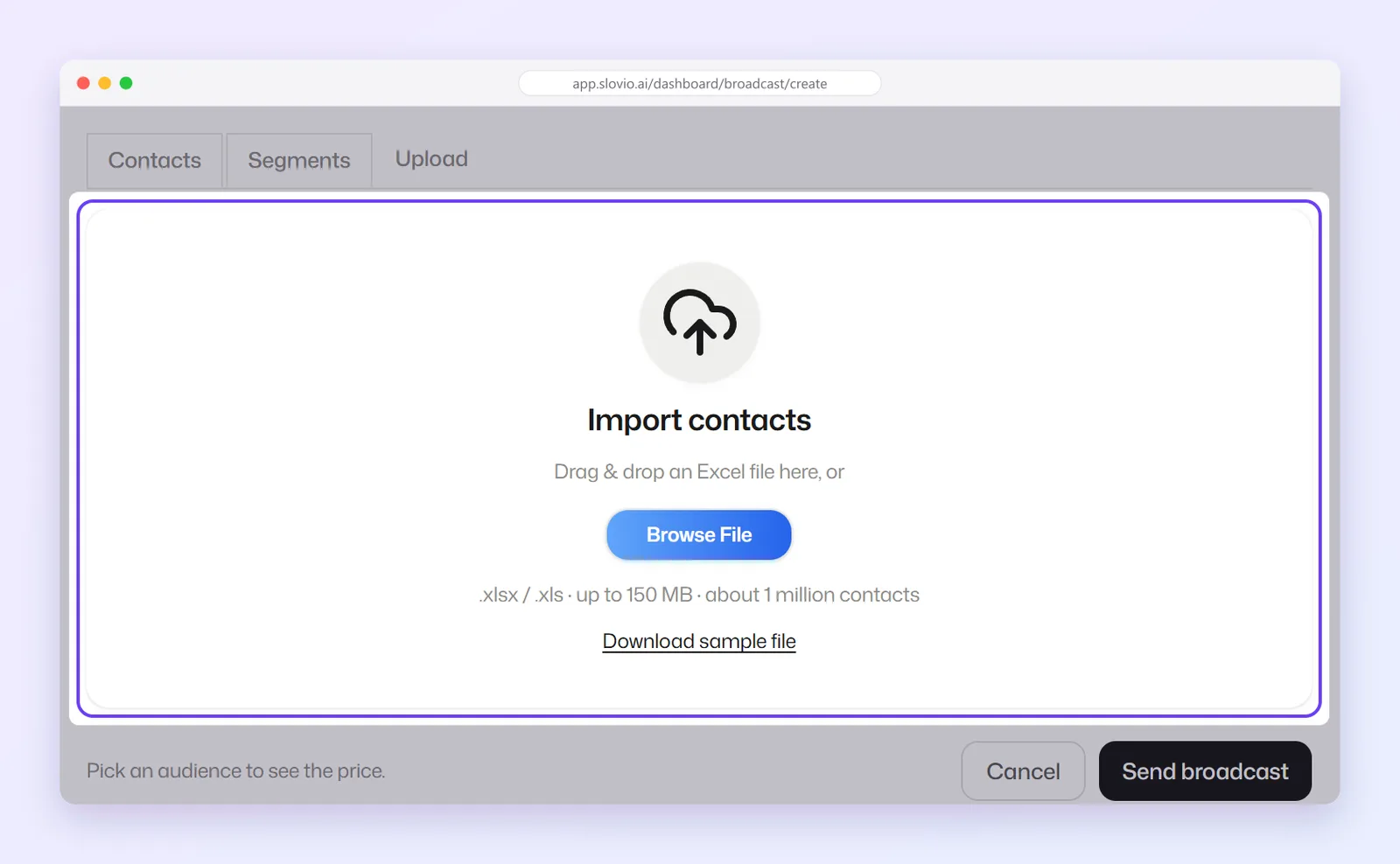
To send a broadcast to a list in Excel, open the broadcast page, choose the Upload tab, drop your .xlsx or .xls file, check the Review upload card and select Use this audience. There is no column-mapping step: Slovio reads your header row and matches the columns itself.
File format
- Excel only:
.xlsxor.xls, not CSV. Save a CSV as.xlsxin Excel or Google Sheets first. - Up to 150 MB, about 1 million contacts.
- The first row is the header row, with at least one data row under it.
- One column must hold the phone number.
Select Download sample file on the upload box for a ready-made sheet.
| contact_number | name | order_id | tracking |
|---|---|---|---|
| +919876543210 | Asha | KO-10482 | DL5543210987 |
| 9812345678 | Ravi | KO-10483 | DL5543210988 |
How your columns are read
| Header | Becomes |
|---|---|
contact_number, Phone, Mobile, Mobile Number, Phone Number, Number |
The phone number |
name, First Name, firstName |
First Name |
Last Name, Surname |
Last Name |
email, Email Address |
|
countryCode, Country Code, Country |
The number's country code |
Anything else, for example order_id |
A custom field on the contact, named exactly like the header |
Header matching ignores upper and lower case. Two columns with the same header are refused: rename one and upload again.
A sheet with only a phone column is accepted. Every row then gets the first name Contact.
Country codes
A number written with + and a country code, like +919876543210, is used as it is. For a bare number like 9812345678, Slovio uses the row's countryCode column if there is one, otherwise the Default country for bare numbers you pick on the Review upload card. India is selected by default.
Choose Auto-detect from Excel (multi-country) when the sheet mixes countries. Then every number needs a + prefix or a countryCode value; rows with neither are not imported.
Upload the file
On the broadcast page, choose the Upload tab.
Drop the file on the box, or select Browse File.
The Review upload card shows how many contacts are in the file and how many columns it has.
Check Default country for bare numbers.
Select Use this audience. To start over, select Choose another file.
The rows import in the background, and "Contacts queued for import" confirms it started. Finish the rest of the broadcast meanwhile. You can send or schedule once the import is done; before that, Slovio replies "Contact upload is still in progress. Please wait for it to complete before creating a broadcast."
Uploaded rows are saved to your contacts. When a number already exists, that contact is updated with the sheet's values, including its first name.
Use columns in the template
Each extra column is saved as a CRM custom property the first time you upload it. In the broadcast's variable boxes, pick it from the … menu, for example order_id, and the box shows {{order_id}}. Each contact then gets the value from their own row.
The … menu lists the properties that existed when you opened the page. For a brand-new column, either add it first under Contacts → General settings → Custom Properties, or type it into the variable box in double braces, such as {{order_id}}. See the WhatsApp broadcast worked example for a full walkthrough.
Common errors
| Message | Fix |
|---|---|
| File format must be .xlsx or .xls | Save the file as Excel. |
| File is too large | Split the file; the limit is 150 MB. |
| Missing contact_number column | Name your phone column contact_number (or Phone / Mobile). |
| Excel file has no contacts | The sheet has headers but no rows, or the data is on another sheet. |
| Duplicate column header "…" is not supported | Rename one of the two columns with the same header. |
| Contact upload is still in progress… | Wait for the import to finish, then send again. |
Common questions
Do I have to map columns after uploading?
No. Slovio matches the phone, name, email and country columns by their headers and saves every other column as a custom field.
Can I upload a CSV file?
No. Open the CSV in Excel or Google Sheets and save it as .xlsx.
What happens to contacts already in my CRM?
A row whose number already exists updates that contact with the sheet's values. New numbers are added as new contacts.
Why is every customer called "Contact"?
The sheet had no name column, so each row got the first name "Contact". Add a name column, or use fixed text for the name variable.
How many contacts can one file hold?
Up to 150 MB, which is about 1 million contacts.
Stuck, or is something here out of date? Tell the team — we reply within a working day.